We have officially released version 25, a significant release with dozens of new features and fixes.
The following are the the full release notes for version 25:
We have officially released version 25, a significant release with dozens of new features and fixes.
The following are the the full release notes for version 25:
We are pleased to announce the release of version 24, a significant release with 34 new features and dozens of fixes.
The following are the the full release notes for version 24:
We have officially released version 23.1., a modest release with several new features and fixes.
The following are the the full release notes for version 23.1:
We have officially released version 23, a significant release with 37 new features and nearly four dozen fixes covering reporting, workflow, mobile, data imports, GUI enhancements, mass updates, powerful ways to incorporate user defined action buttons in reports, administration, and security.
The following are the the full release notes for version 23:
We have officially released version 22.1.1, a modest point release with a dozen new features and fixes.
The following are the the full release notes for version 22.1.1:
Do you find yourself often doing the same query searches? ExtraView’s Saved Filters empowers you to save and recall your commonly used search filters.
To use Saved Filters simply go to the Query screen and select the desired Saved Filter from the list:
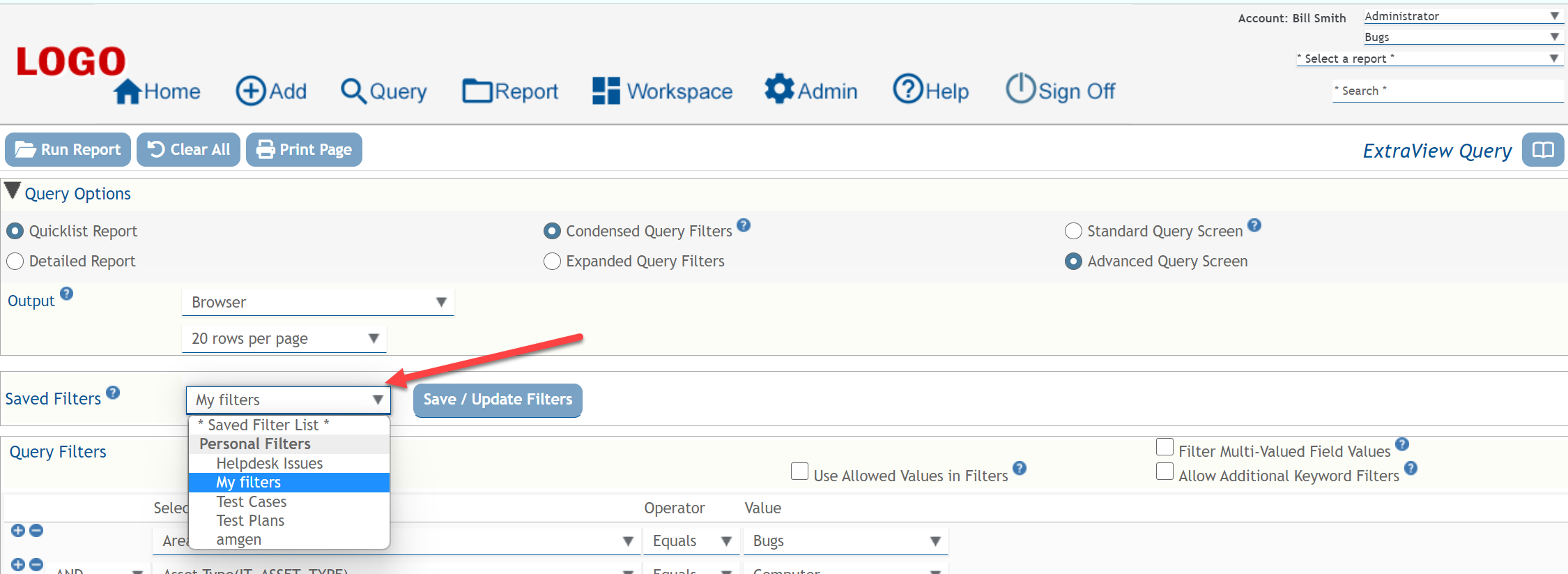
For example, if I select from the list “My Filters”, then the query will render the filters I previously saved for “My Filters”:

If I select “Test Cases”, then the query will refresh and render the filters I saved for “Test Cases”:

From there simply select the Run Report button to run the query:
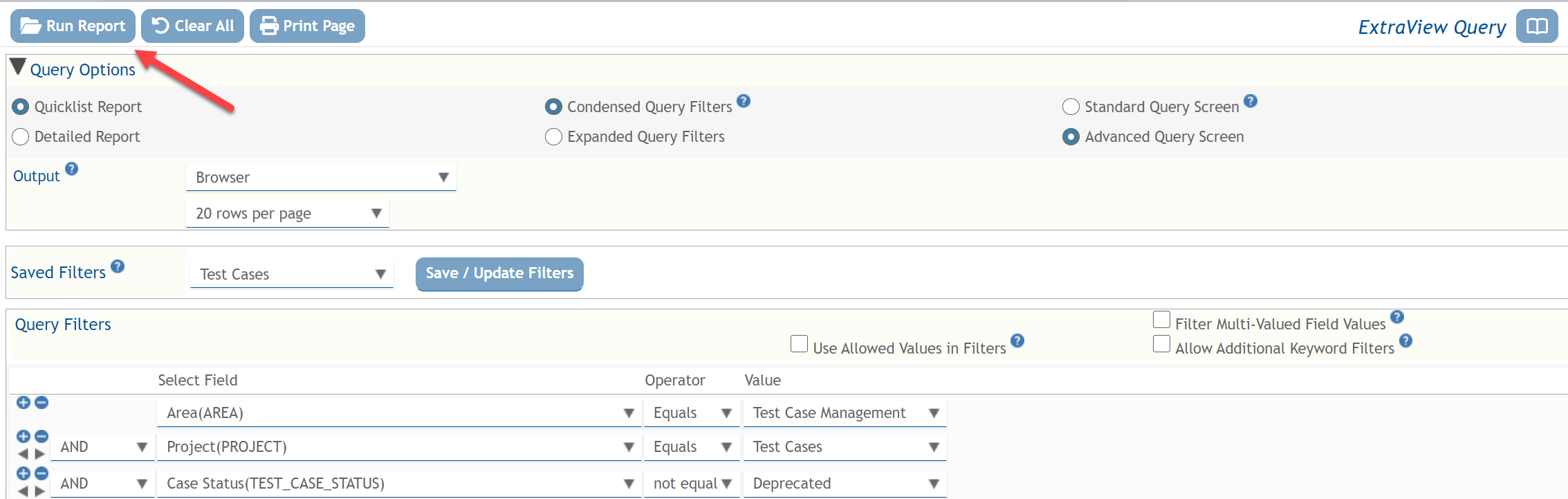
To create a new Saved Filter, you first build up your query and then select the Save / Update Filters button:
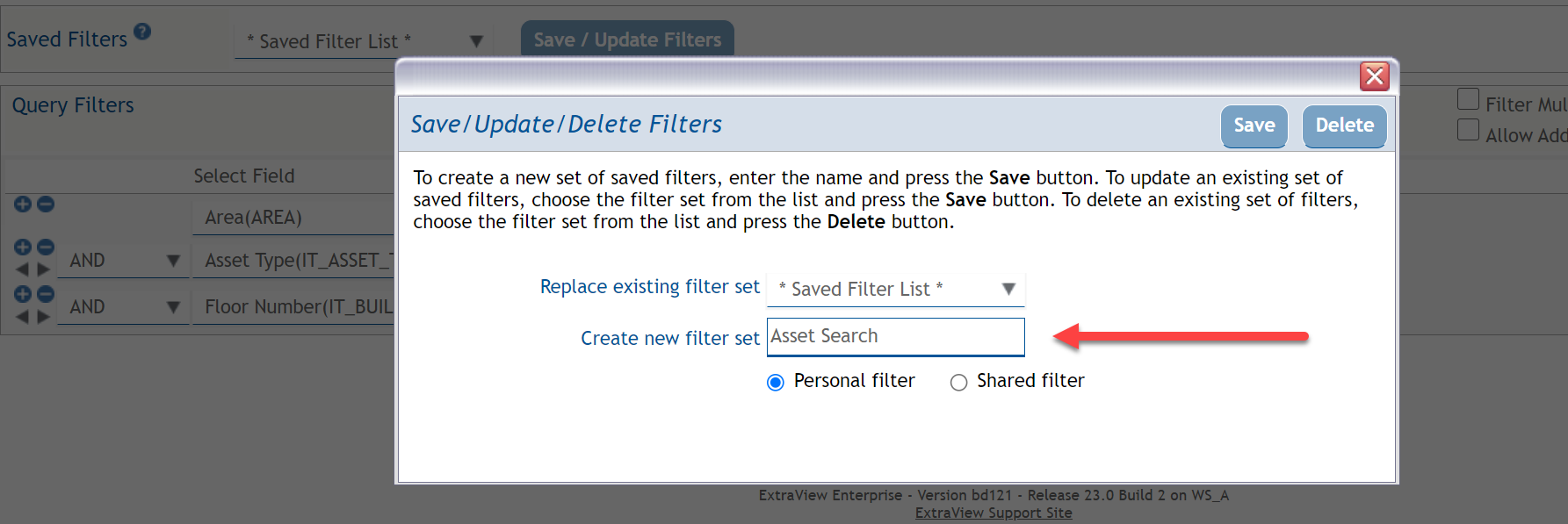
 You will be presented with a popup that allows you to either create a new Saved Filter or update an existing one. Just give your new query a name and press the Save button:
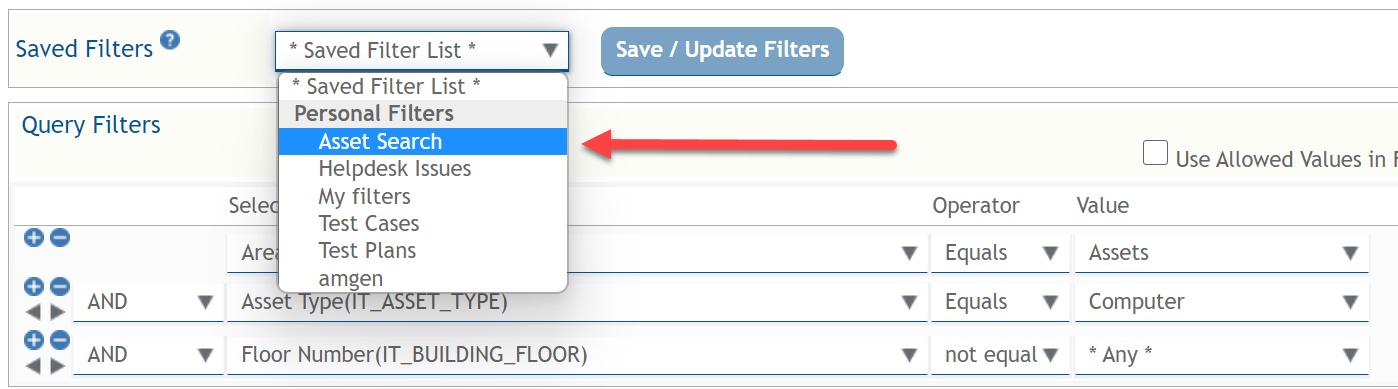
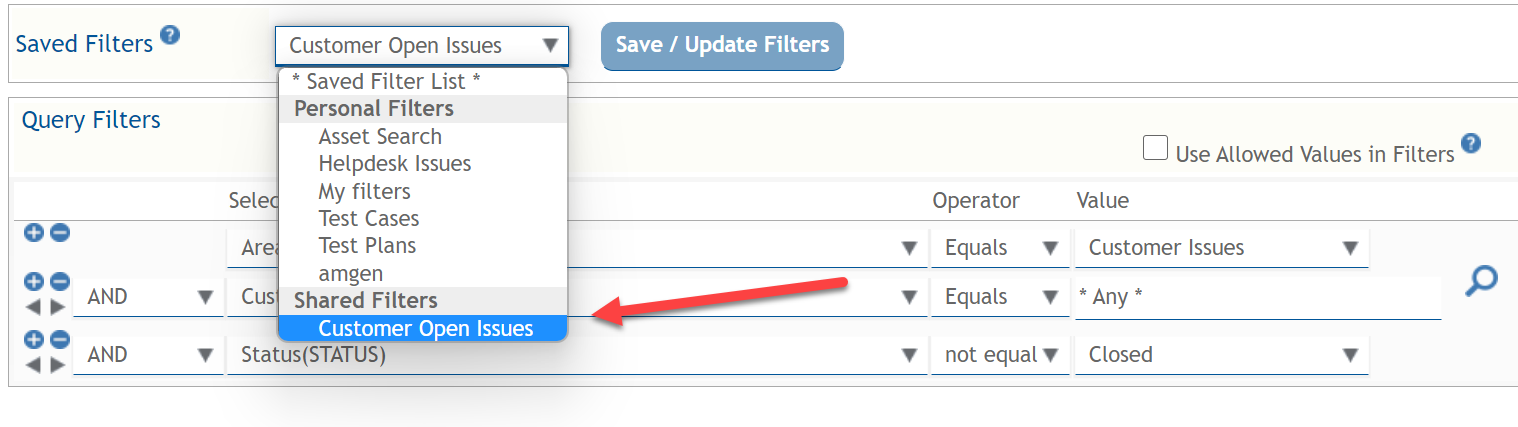
Your newly Saved Filter is now available in the list:
Saved Filters can be either Personal for your own use, or they can be Shared for use by others:
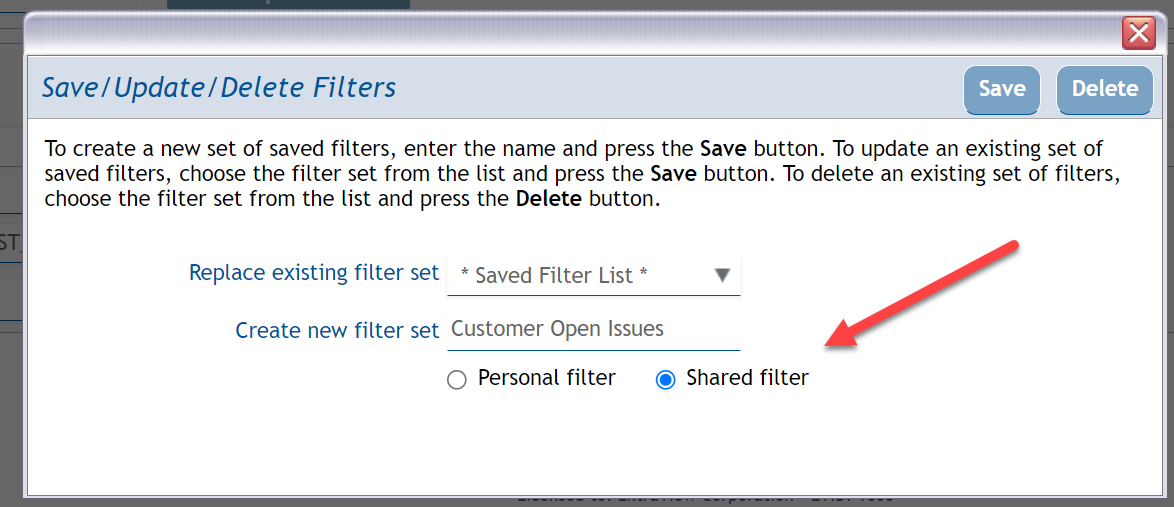
Your new Shared saved filter is now available and it will be visible for use by other users:
We have officially released version 22.1, a powerful release with two dozen new features and more than four dozen fixes.
The following are the the full release notes for version 22.1:
We have officially released version 22.0, a powerful release with dozens of features and fixes.
This is a relatively modest release, but it includes some subtlety powerful features, including:
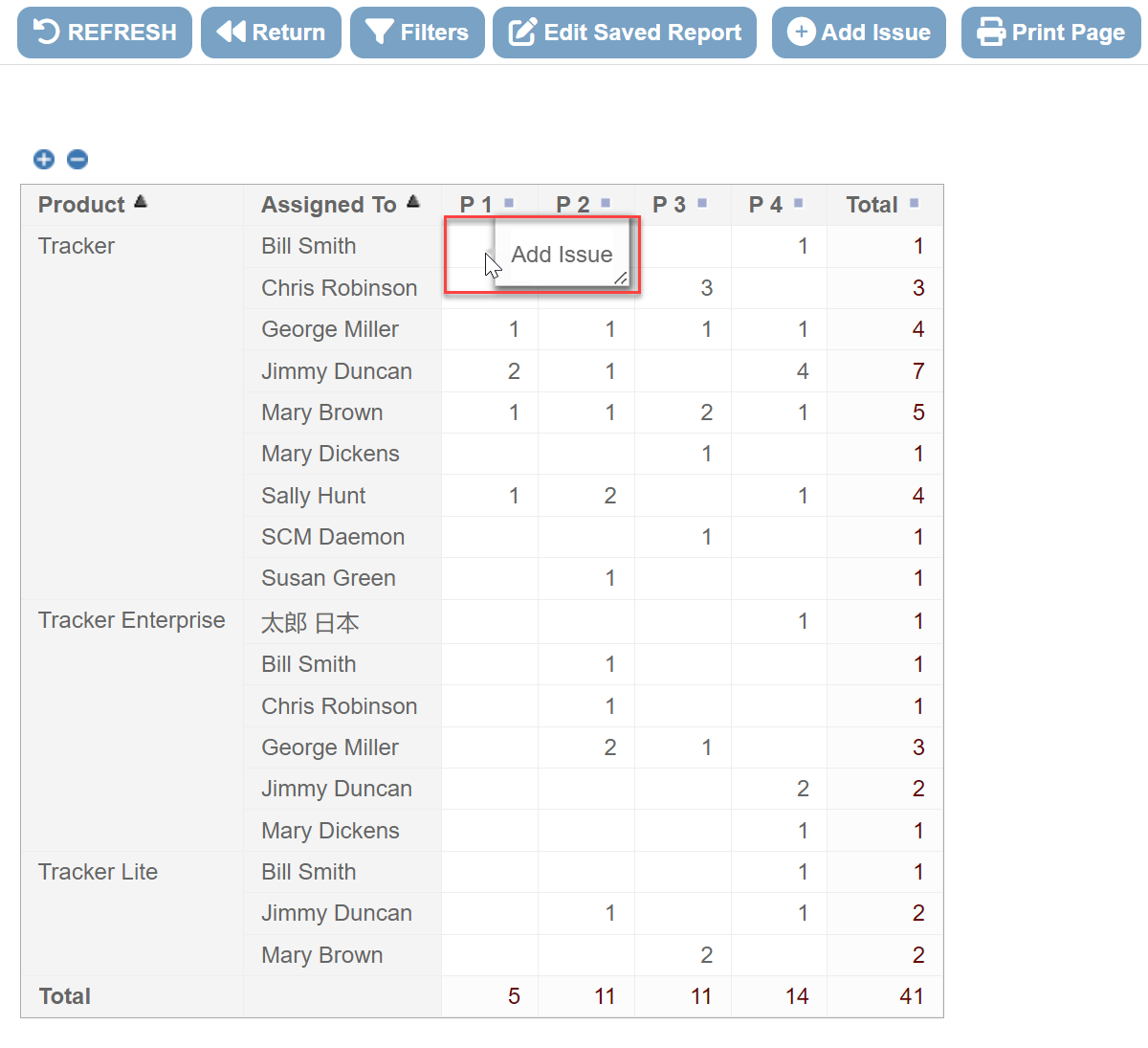
ExtraView gives you the ability to right-click on a report to add a new record with all the properties of that cell and report filters. This can be a really efficient and intuitive way to add new records.
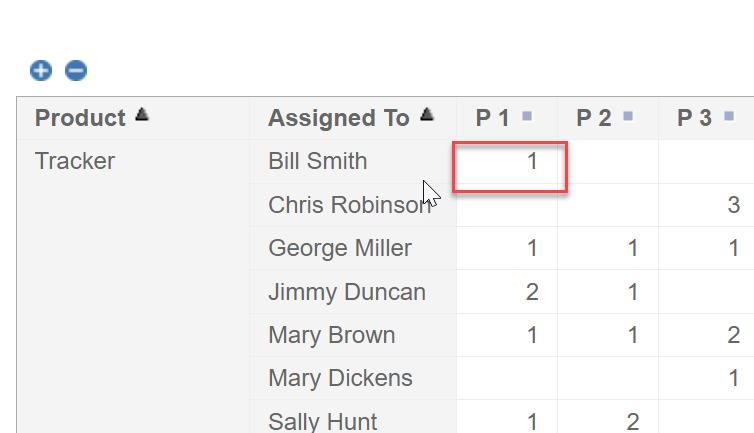
In the following example I have a matrix report that is grouping records by Product, Assigned To and Priority. When I right-click on any one cell of the report, it will allow me to add a new record that has all the properties of that cell. Thus, in the example below I am right-clicking on the first cell where Product = Tracker, Assigned To = Bill Smith, and Priority = P1
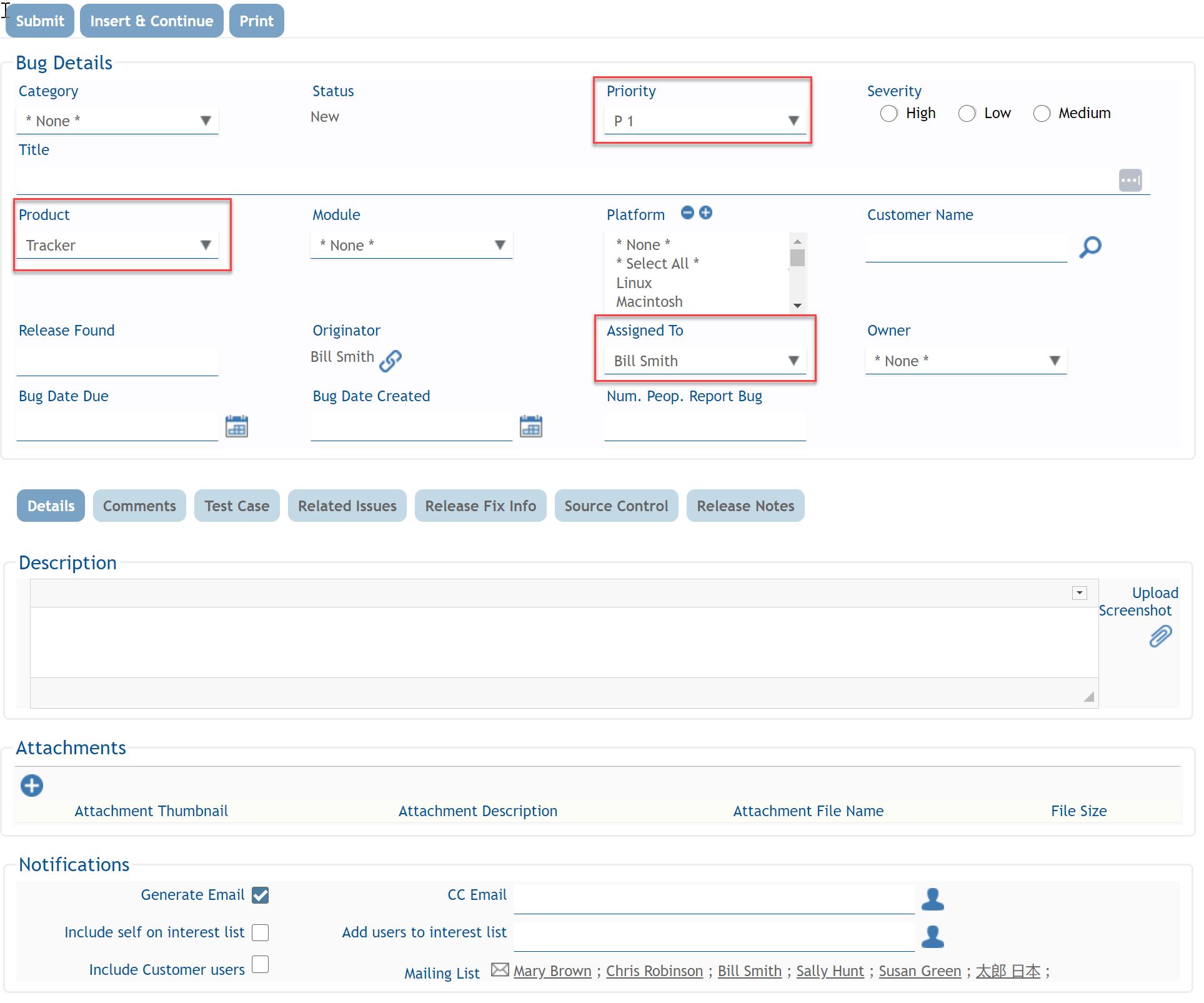
When I do this, I am presented with the following screen where I can create the new record. Note that the Product, Assigned To and Priority fields are already prepopulated with the values from the report cell (i.e. Product = Tracker, Assigned To = Bill Smith, and Priority = P1):
When I finish filling out the other details of that new record and submit it, my report automatically refreshes and includes my newly created record:
This can be a really efficient and intuitive way of adding new records.
To start using this feature, just select “Allow addition of issues” on your report editor:

 ExtraView Blog