ExtraView gives you the ability to right-click on a report to add a new record with all the properties of that cell and report filters. This can be a really efficient and intuitive way to add new records.
In the following example I have a matrix report that is grouping records by Product, Assigned To and Priority. When I right-click on any one cell of the report, it will allow me to add a new record that has all the properties of that cell. Thus, in the example below I am right-clicking on the first cell where Product = Tracker, Assigned To = Bill Smith, and Priority = P1
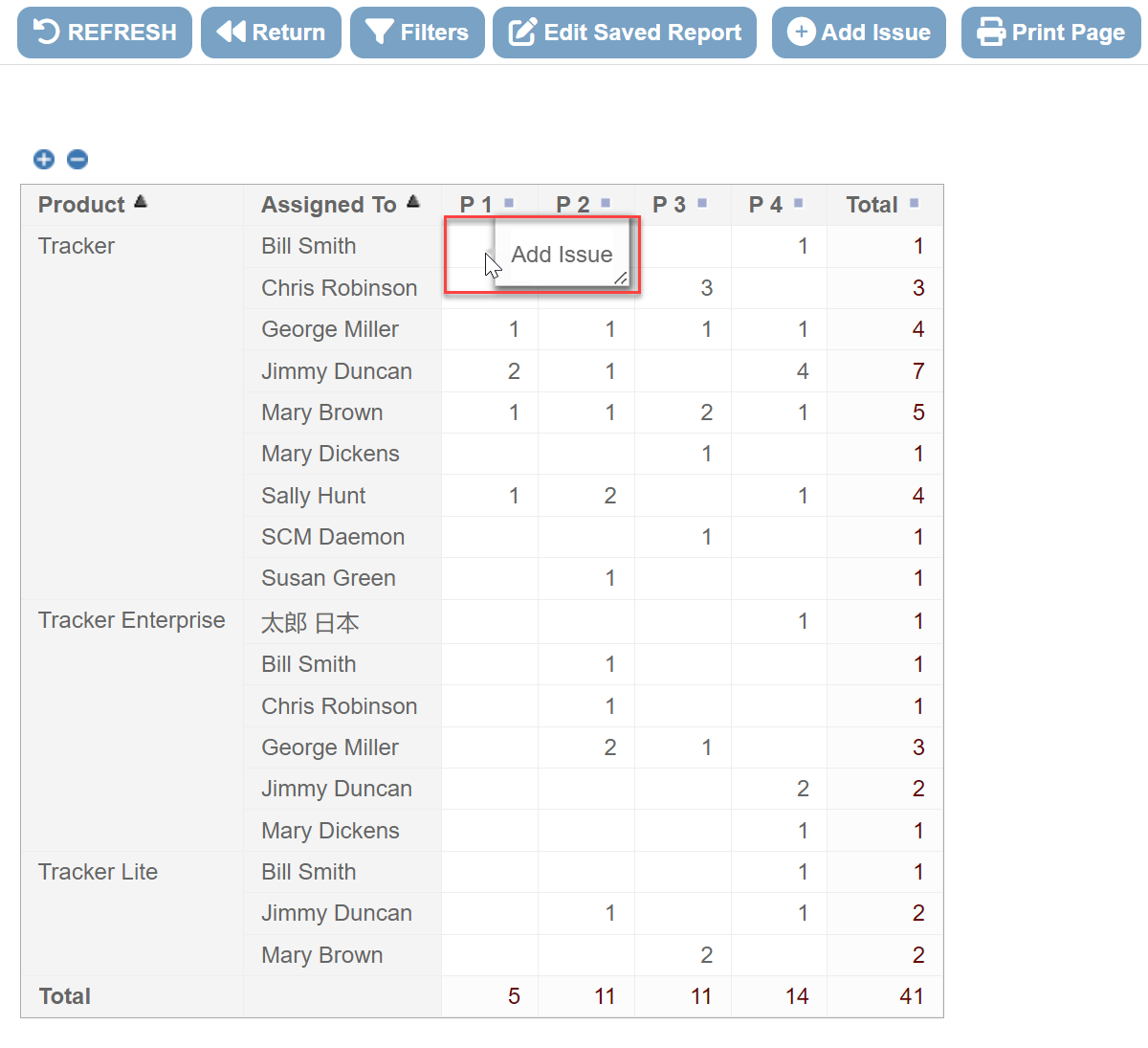
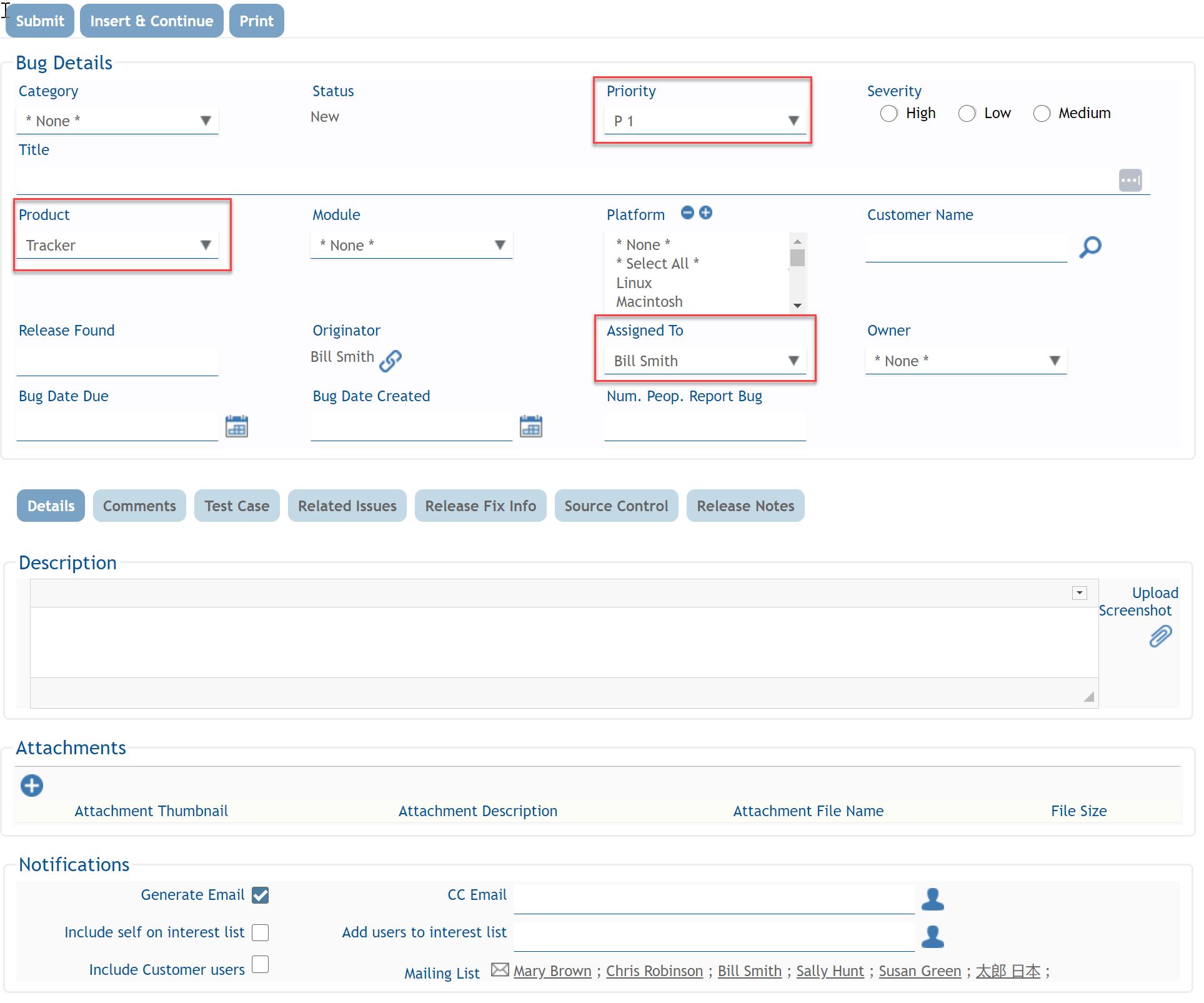
When I do this, I am presented with the following screen where I can create the new record. Note that the Product, Assigned To and Priority fields are already prepopulated with the values from the report cell (i.e. Product = Tracker, Assigned To = Bill Smith, and Priority = P1):
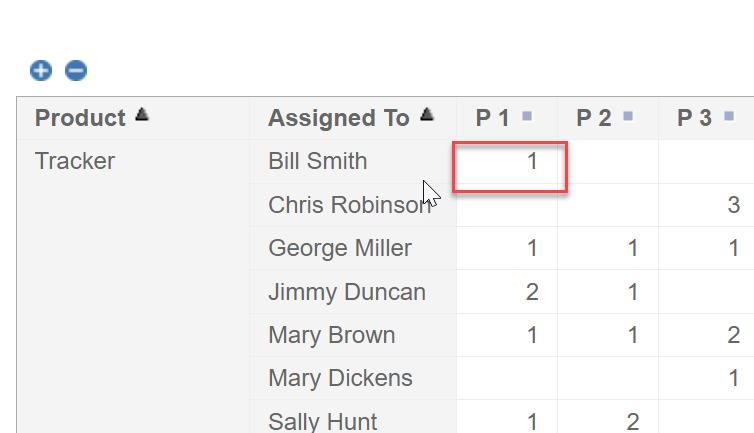
When I finish filling out the other details of that new record and submit it, my report automatically refreshes and includes my newly created record:
This can be a really efficient and intuitive way of adding new records.
To start using this feature, just select “Allow addition of issues” on your report editor:

 ExtraView Blog