In ExtraView you can create an unlimited number of user defined fields (“UDFs”). UDFs can take various forms, such as lists, radio buttons, check boxes, text areas, dates, etc. UDFs can also be Document fields.
Document fields store document files of any type, such as spreadsheets, PDFs, Word documents, etc. Document fields are similar to attachments in that they allow you to upload and store files in records. Also, like attachments, security can be configured to determine who can upload, view, and/or remove documents. Additionally, you can perform keyword searching on files stored in Document fields.
However, Document fields have special properties that distinguish them from attachments. In particular, document fields are subject to workflow. For example, your workflow might make a Document field required or visible if a condition is true. Or you might require an approver to provide an electronic signature indicating their approval of a document at a certain point in the workflow. Through means such as these ExtraView customers use Document fields to route files through their organization in any workflow of their own design.
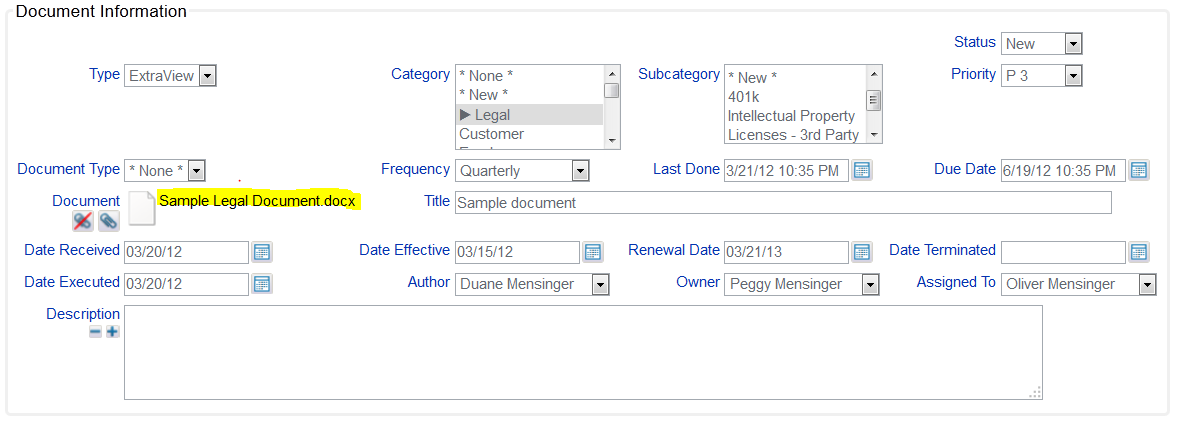
The following screenshot shows one way you might configure ExtraView to track Documents. Notice how you can capture any sort of document meta data you deem important. In this example the meta data includes not only typical items such author and creation date, but it also includes expiration and effective dates, renewal frequency, next due date, type, category, and subcategory.
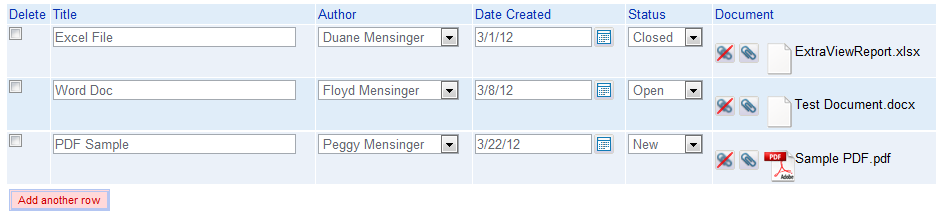
Alternatively, you might put Document fields on ExtraView’s Repeating Rows, as seen in the screenshot below. In this case, each document can progress independently through its workflow, and yet still be managed as a single overall record.
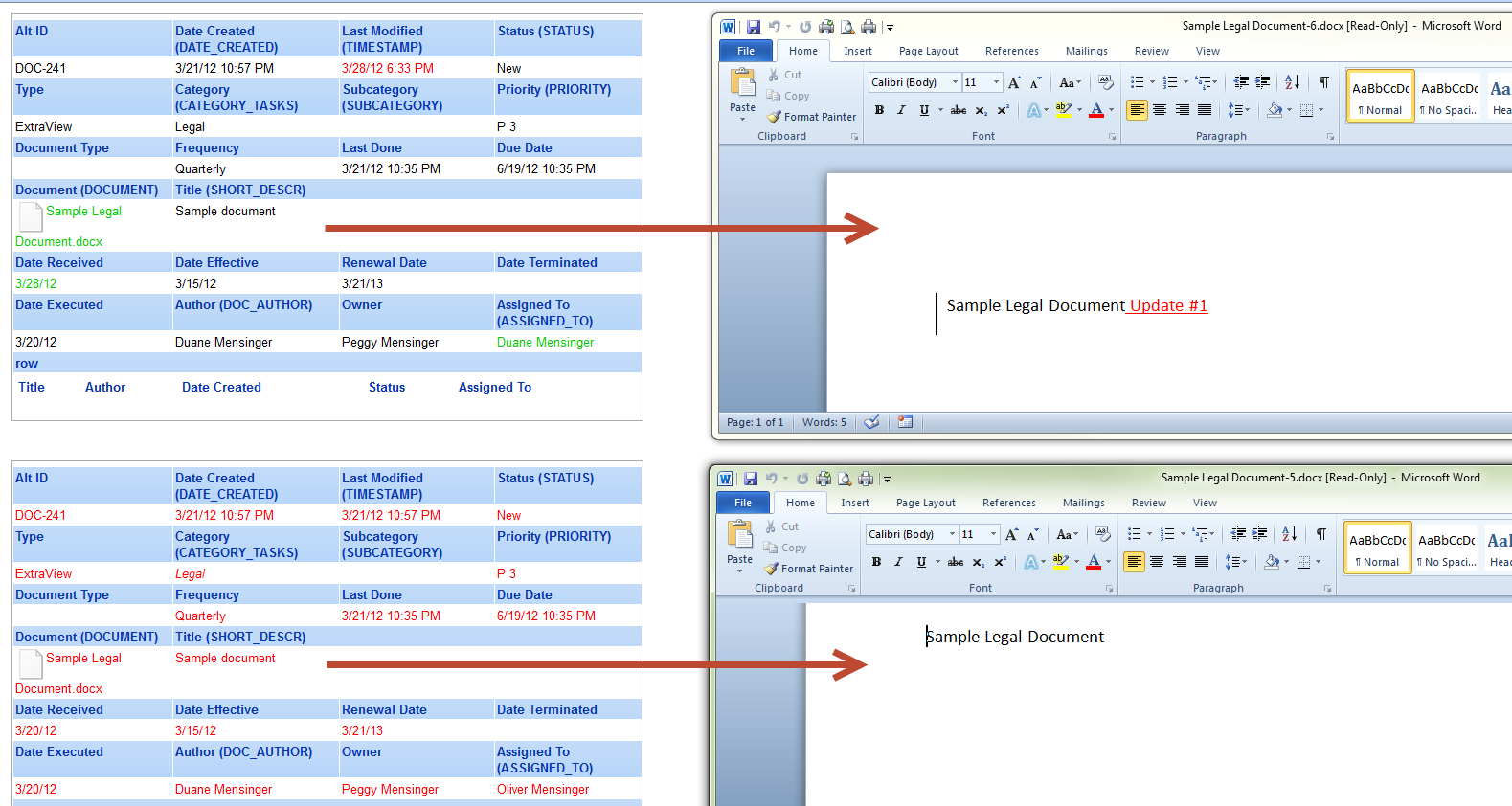
Another feature of Document fields is that they store in history all prior versions of a document. Thus, you can go back in history to view each version of the document and its associated meta data. In the following example, we uploaded a document, and then subsequently uploaded a revised version of that document. The screen shot below shows ExtraView’s history and each version of that document. The history is presented in reverse chronological order, so the original document upload occurred on March 21, 2012, and the revised document was uploaded on March 28, 2012. Notice how a complete snapshot of the meta data is also captured at each point in history.
Please feel free to share with me and our readers your experiences or novel ideas regarding the use of document fields.
 ExtraView Blog